
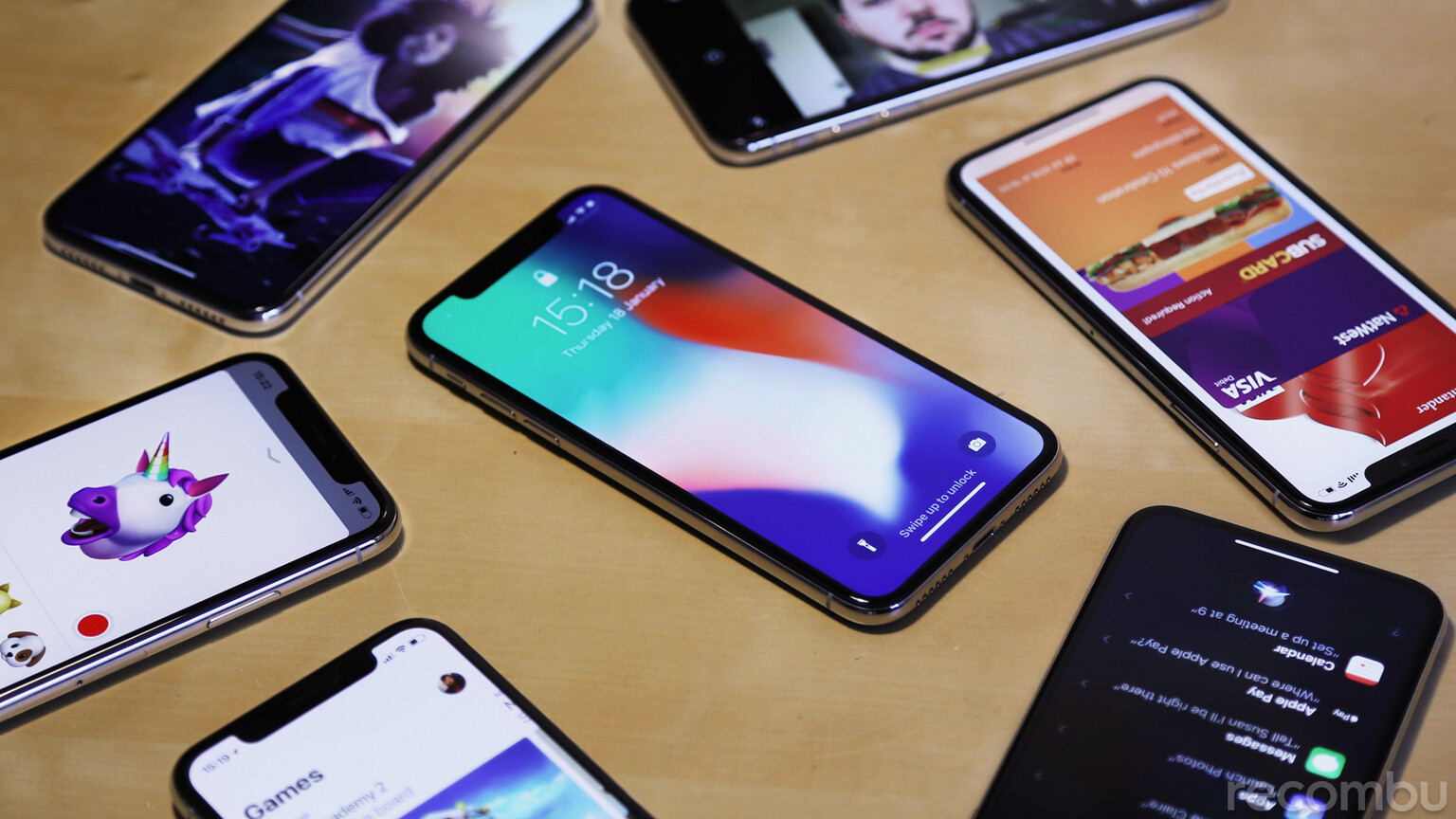
Apple iPhone X review: The original iPhone has come to be regarded as one of those milestone products in Apple’s illustrious history and ten years on the company is celebrating the OG’s anniversary by releasing a device that marks the most significant shift in what defines an iPhone ever.
It seems that iPhone fans understand the significance of the X’s arrival too, as it was preceded by arguably the biggest hype train since the first iBlower made it to market all those years ago. Now, all we need to find out is whether or not the iPhone X is truly equipped to define the future of the smartphone or it’s simply just another player in the already crowded flagship space.Apple iPhone X Review: Design
It’s no secret that the iPhone’s design language has grown stagnant. Even the 8 and 8 Plus, which launched alongside the X, sport what is essentially the same design as the iPhone 6, a device that arrived way back in 2014.

What works?
The iPhone’s design was sorely in need of rejuvenation and Apple’s efforts with the X serve as a long overdue ointment to such dated aesthetics. IP67 water resistance and the addition of wireless charging make this glass-backed handset more than just a pretty face.What doesn’t?
Whichever way you slice it, the absence of a standard headphone jack will still be a frustration for most and the camera bump, although less obtrusive should you stick the phone in a case, isn’t going to be to everyone’s tastes.Apple iPhone X Review: Screen
Despite falling beneath the pixel-rich status quo of rival flagship smartphones, iPhone screens have always been rather excellent. Of course, when it comes to the iPhone X, things are markedly different when set alongside any of its predecessors. Toting a new 19.5:9 aspect ratio, the 5.8-inch screen on the X breaks the Apple mould and embraces the growing trend of elongated displays already present on rival devices from the likes of Samsung, LG and Huawei. Apple’s offering features rounded corners which give it a particularly cutting-edge look and although there is a bezel all the way around, it’s slight and unobtrusive. For the first time on an iPhone, Apple has made the switch to an OLED panel (made by Samsung), which delivers more vivacious colours and greater contrast with truer blacks. It’s also HDR-compliant (with both Dolby Vision and HDR10 standards) so you can watch compatible content from supported sources like iTunes, Netflix and Vimeo with added fidelity. To top all that new screen tech off, the taller panel packs in more pixels (2436×1125) too, granting it a density of 458ppi, making it the sharpest iPhone display to date. Combining that tidbit with the aforementioned HDR and OLED goodness has pushed Apple to elevate the iPhone X’s screen to the rank of Super Retina HD Display. Despite the excellent visuals, the iPhone X spits out though, it isn’t perfect. For one, as is often the case with OLED tech, it’s more susceptible to brightness drop-off and colour distortion at more extreme viewing angles and there’s also the matter of ‘the notch’.
What works?
The iPhone X sports what is arguably the most beautiful display that Apple has ever bestowed upon a mobile device and it’s a joy to both look at and swipe across. It’s so good, in fact, that we’d wager in blind testing most people would say it’s the best of the bunch, right now.What doesn’t?
Finding HDR sources that support the iPhone X is tricky, not least because there simply aren’t that many. What’s more, due to strained relations between with Google, HDR viewing (using Google’s own open-source VP9 codec) isn’t available via the native YouTube iOS app. Despite packing in a larger display than the iPhone 8 Plus, in landscape the X’s screen is actually shorter, meaning videos appear closer to that of the iPhone 8 in scale. Pinching apart to scale video up to make use of the full breadth of the display might mean it fills the screen entirely but it also highlights the notch in the process, which is unsightly.Apple iPhone X Review: OS and Face ID
Anyone who’s used an iPhone will already be familiar with iOS as it appears on the X; the app selection and general design, system menus and controls remain relatively unchanged save for fitting on that elongated display; it’s interaction that’s undergone the biggest transformation. Despite the name, the home button was never just to bring you back to your homescreen; it featured a fingerprint sensor for security and Apple Pay, allowed for numerous gestures including app switching and Reachability, and it initiated Siri. In ditching such a fundamental hardware control, Apple has had to transpose where and how certain actions within iOS operate and the process has left it feeling a tad disorganised. Firstly, there’s the definite learning curve. In place of the button, Apple has implemented a virtual home bar which comes with a slew of new gestures. Swiping up within an app takes you home, swiping up and holding brings you to the app switcher, swiping from the centre of the bar to either side in an arc lets you jump to the app switcher even faster (but takes practice), swiping along the bar lets you jump to and from the next open app and swiping down activates Reachability (which isn’t switched on by default). The larger side-button now not only serves to sleep and wake the phone but also summon Siri with a long-press and activate Apple Pay with a double tap. None of these gestures are inherently difficult but like we said, it takes practice to get them working flawlessly. The channels of pixels either side of the notch are too narrow to display information like battery percentage but now also serve as the hotspots for summoning Notifications (top left) and Control Centre (top right). As swiping up has now been repurposed for navigating home, pushing Control Centre to the top right is an awkward stretch when using one hand and notifications are even trickier to get at without the help of a second mitt. Reachability goes some way to alleviating the stretch but having to resort to an accessibility feature for such frequently accessed controls is both inelegant and suggests that the original implementation was just plain better. We set up various gestures on the AssistiveTouch virtual home button and navigating iOS was made immediately easier as a result. We suggest prospective iPhone X owners reading this do the same.Face ID
No home button means no Touch ID for unlocking and authenticating Apple Pay transactions either, so instead of simply sticking a sensor on the back Apple ditched fingerprints altogether and introduced Face ID. The whole reason that the notch is even present on the iPhone X in the first place is to accommodate the new TrueDepth sensor array. Akin to a miniature Xbox Kinect, the sensor bank projects 30,000 infrared dots that a specialised IR camera then uses to measure depth and placement in order to verify that it is indeed your face in front of your phone.
It’s not just for security though, Apple’s also used this advanced sensor setup to bring Animoji to the table; beautifully motion-tracked characters based on popular emoji faces like the cat, unicorn, monkey and even the poop emoji. The experience is presently confined to iMessage and clips are limited to ten seconds but with a little jiggery-pokery you can screen record silent clips for export that last longer, a trend that has given rise to ‘Animoji Karaoke’. We’re just hoping that Apple is willing to open up Animoji and the technology behind it for use in other apps and by third parties.Tried my hand at #AnimojiKaraoke. #Animoji #Karaoke #Panda #Desiigner ? pic.twitter.com/Qzeo1NZaHr
— Alex ‘Toddy’ Todd (@AlexToddyTodd) January 17, 2018
What works?
Face ID is impressive tech that works far better than we expected and Animoji are unquestionably novel and fun, we just hope Apple expands their functionality and reach.What doesn’t?
There’s an unquestionable learning curve for long-time iPhone users and elements like Control Centre are awkward to get at without fiddling with iOS’ settings. Despite most major apps now embracing the new notched version of iOS running on the iPhone X, there are still plenty of third-party offerings that are still playing catch-up, leaving you with big black bars above and below the screen until they do. Read next: Apple iPhone X Tips, Tricks and Best Hidden FeaturesApple iPhone X Review: Performance and Battery
You get a similar amount of oomph to that of the iPhone 8 Plus, with the same Apple-designed A11 Bionic chip and 3GB of RAM at your disposal. As you’d expect from the latest iPhone processor it benchmarks extremely well, serving up some of the highest figures for a phone out there; offering a marked lead over the numbers produced by RAM-heavy Android rivals in test environments like Geekbench. As ever, there’s no expandability to be found here, with the base model offering 64GB of internal storage and a larger 256GB on offer for £150 more. This capacity disparity highlights Apple’s intention to push users to the larger model in the pursuit of value for money (if you can attribute such a quality to an iPhone), which is unquestionably cheeky on the company’s part. The cheek doesn’t stop there, however. Despite offering up to a day and a half of use per charge (some of the best iPhone battery life in recent memory), when it comes to filling the X back up with the in-box 5W charger or a comparable wireless charger the X’s 2716mAh battery will replenish from empty to full in approximately three and a half hours, but the phone can actually charge faster. Whilst most manufacturers now bundle a fast-charging adapter in-box for phones that support the feature Apple expects prospective X owners to fork out even more cash for one of their higher wattage chargers separately. If you are in need of faster charging, we’d suggest looking at more affordable third-party offerings, otherwise, you’d be best to opt for Apple’s own £49 29W USB-C power adapter, its £69 61W USB-C power adapter or its £79 87W power adapter. If that wasn’t enough extra cash out of your pocket though you’ll also need to add on a one-metre USB-C to Lightning cable for £25 or a two-metre version for £35, ouch.What works?
Apple’s A11 Bionic chip is an excellent processor and ensures that the X feels as fast and fluid as any flagship should. A base storage of 64GB is an improvement on older iPhones and the inclusion of fast-charging support is nice, but…What doesn’t?
Apple’s insistence on charging such a premium for more storage on an already expensive handset and for creating such a disparity between its two models is erring on criminal, compounded by the expectation that new iPhone owners should pay upwards of £70 for the privilege of fast-charging too. Not cool, Apple.Apple iPhone X Review: Cameras
In the imaging department, the iPhone X trumps its most like-minded predecessor, the 7 Plus and extends the capabilities found on its launch sibling, the 8 Plus, to great effect. It’s primary 12-megapixel dual-sensor snapper is comprised of an f/ 1.8 aperture-toting, wide-angle camera and an f/ 2.4 aperture secondary telephoto camera, both of which boast OIS. The 7-megapixel front-facing camera features an f/ 2.2 aperture, screen-based ‘Retina Flash’ and integrates to TrueDepth sensor into its skill set too. Portrait Lighting (an extension of Portrait Mode, introduced on 2016’s 7 Plus) is one of its most unique features, not least because, unlike the iPhone 8 Plus, it can pull off these slick effects with both its rear and front cameras. That said, in practice results are a little hit and miss and clearly require more fine-tuning. There’s no question that within the Apple vacuum the X sports the most capable set of cameras of any iPhone to date but as we discovered when testing it alongside the Google Pixel 2 and Samsung Galaxy Note 8, there are obvious chinks in its armour that rivals such as these can exploit to better effect. Read our iPhone X Camera Review for the full low-down.What works?
It’s a phenomenal option when shooting in natural light, capturing people and has vastly improved Apple’s low light photography credentials. It’s also unquestionably the best smartphone for shooting video right now, based on the sheer beauty of the footage it captures.What doesn’t?
Its new Portrait Lighting feature resides in beta and still needs improvement to consistently deliver on the promise that Apple has made. Low light shooting had improved but still falls short of the mark alongside leading rivals, too.Apple iPhone X Review: Verdict
Having dissected Apple’s new £1000 iPhone the decision on whether to buy one or not really falls to your love of the brand and your allegiance to the iPhone line. Those who pre-ordered the X are probably happy with their purchase, those in need of convincing, however, won’t likely be swayed by the discoveries made here.